Prior to being able to make sales (and then take payments), you will need to create/add payment methods in WINK. Here is how to proceed!
- Click on Company > Stores > Payment Methods
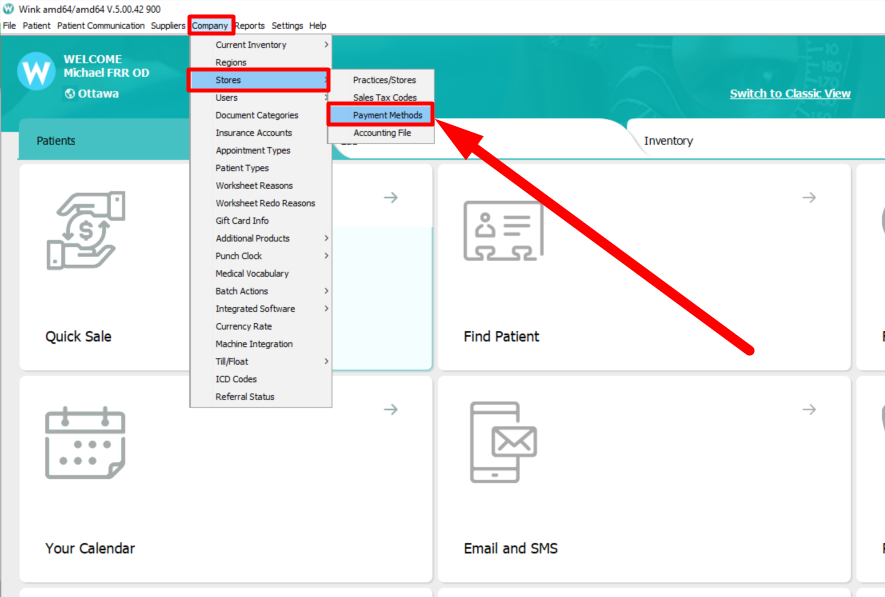
- This window will pop up, with the list of existing payment methods, as well as their status (Active/Inactive). If the payment method you want to use is not in that list, click on New

- 1 - Enter the name of the payment method
2 - Select from the drop-down menu, the locations where this payment method will be used (you can multi-select using CTRL+A or by keeping CTRL pressed)
3 - Click on Select
4 - Click on to validate the selection
5 - Click on Save, and close the window.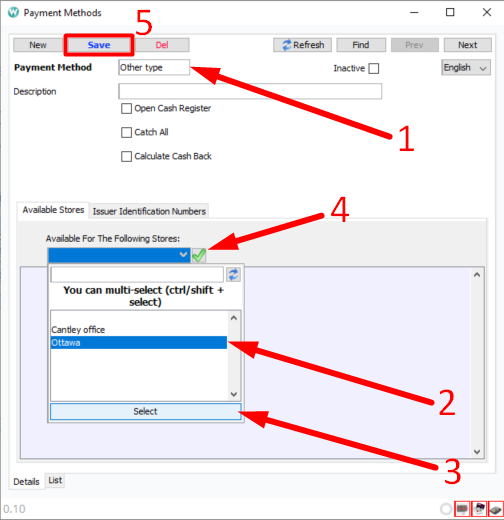
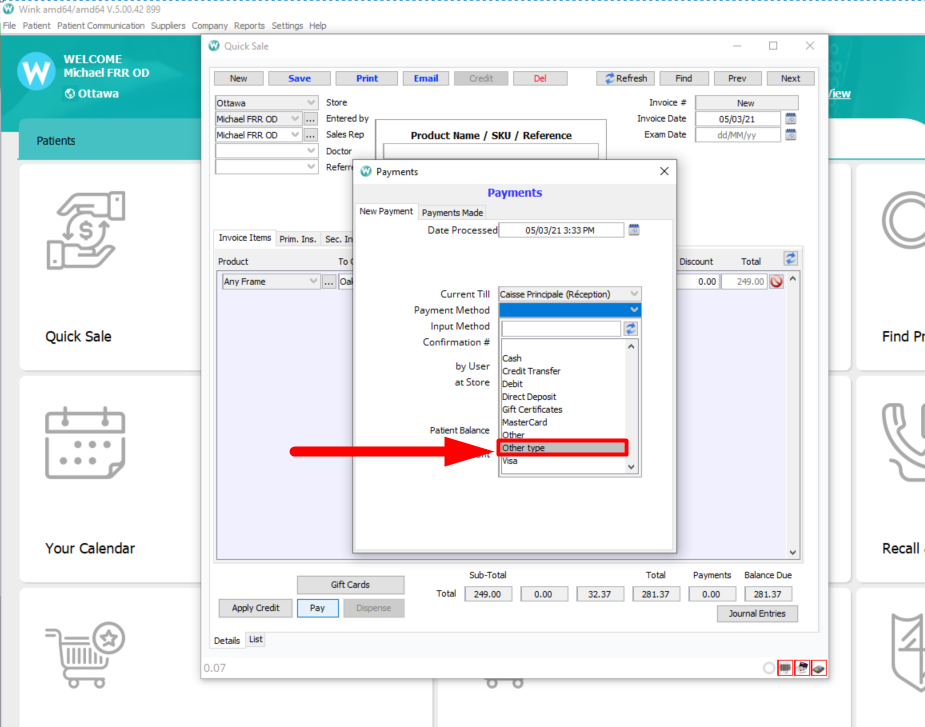
- When processing your next sale, you will be able to see your new payment method in the drop-down menu of available payment methods (if you cannot see it yet, click the refresh button at the top of the list of payment methods).
Comments