Question: What are "Patient Types" and how do I create them?
Answer: Patient Types are used to designate patients in categories that you may wish to use for booking appointments or sending email/SMS communications, or targeting for lens sales, etc. For example:
(a) Many doctors want to know if a patient is physically challenged as they need to book extra time for their exam.
(b) Maybe you offer a discount to all employees of a particular factory in your town.
(c) Maybe you need to know if a patient is on social assistance to complete paperwork before their exam.
There are many reasons for categorizing patients, and here's how to do it!
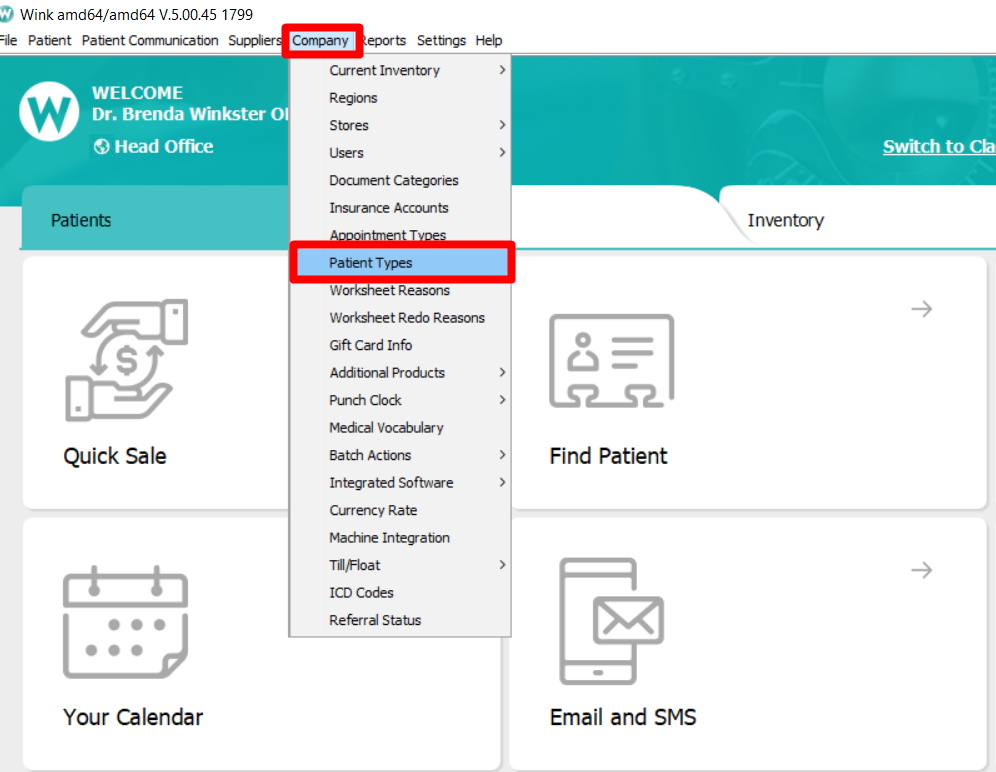
On the WINK dashboard, select Company >> Patient Types
A list of existing Patient Types will appear. To add a new Type, click on "New"
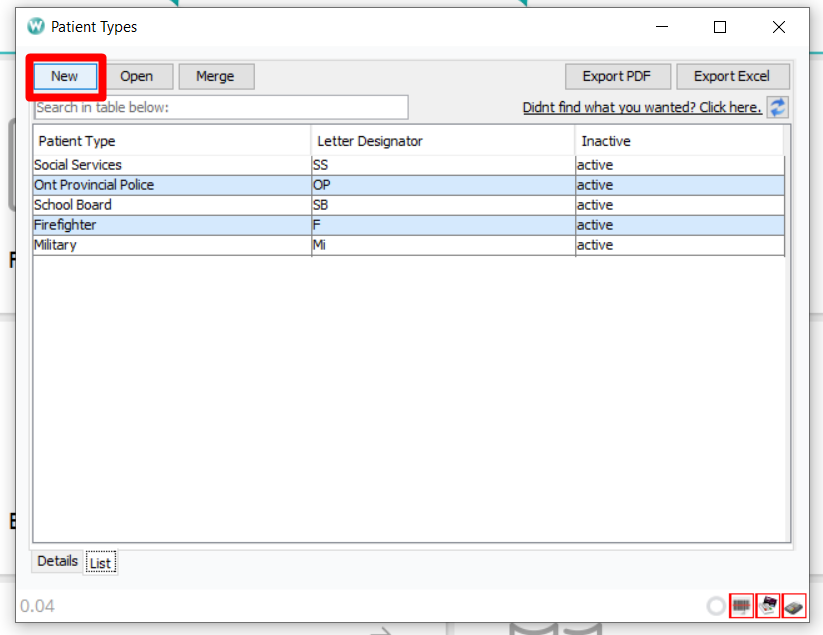
Give your Patient Type a name and use up to two (2) characters as a designator for this type of patient.
The Patient Type will appear when booking the patient in the calendar. It is also a filter that can be used when creating lists of patients receiving specific email/SMS communications.

The Patient Type is displayed in the Patient's profile. Please note that a patient can have multiple patient types.
Comments